Digital Academy Account Deletion

Follow these steps to permanently delete your account and associated data

  1. Open the app and sign in

    Launch Digital Academy and sign in with your email and password

  2. Access the menu

    Tap on the three dots (⋮) in the upper right corner
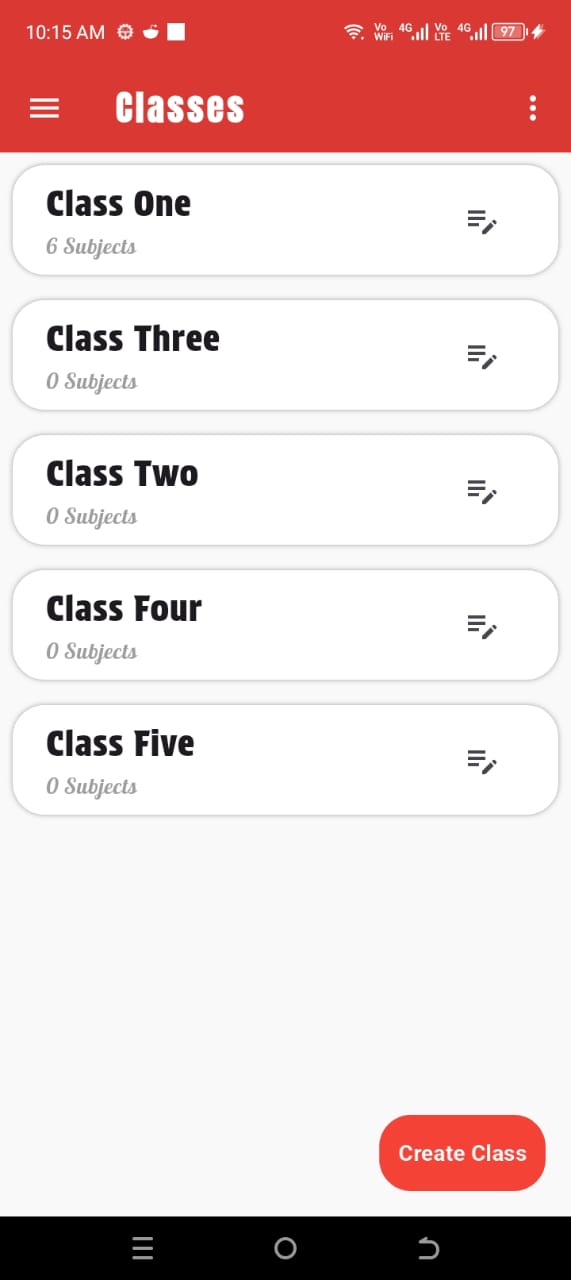
    Tap on menu icon
  3. Navigate to your profile

    Select the Profile option from the menu
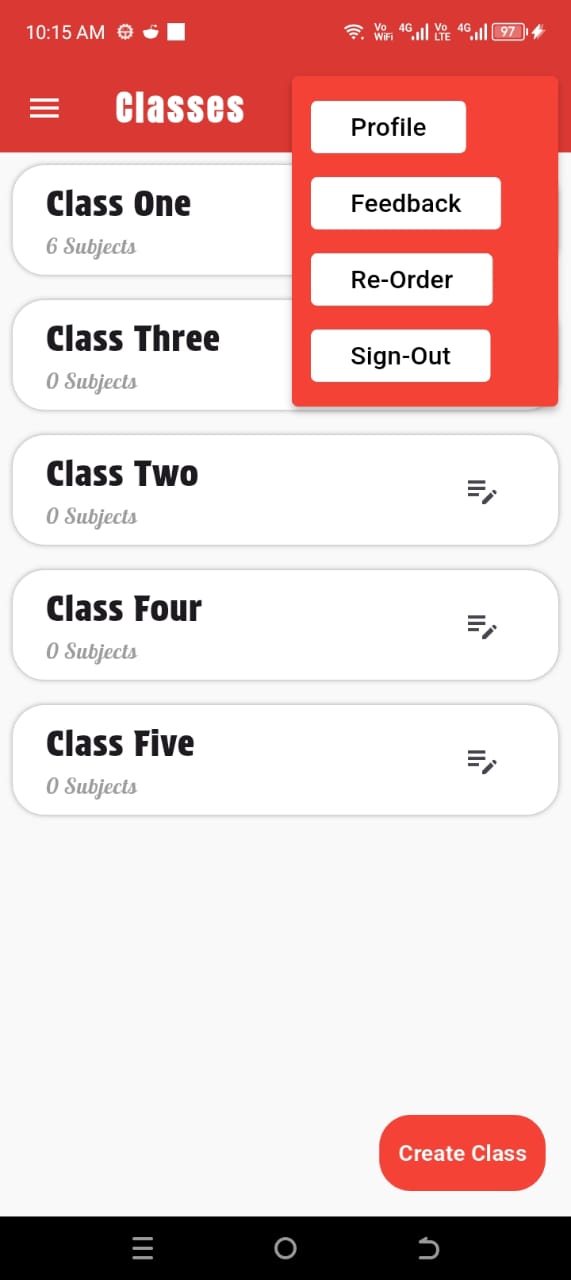
    Select Profile option
  4. Access profile settings

    On your profile screen, tap the three dots (⋮) again
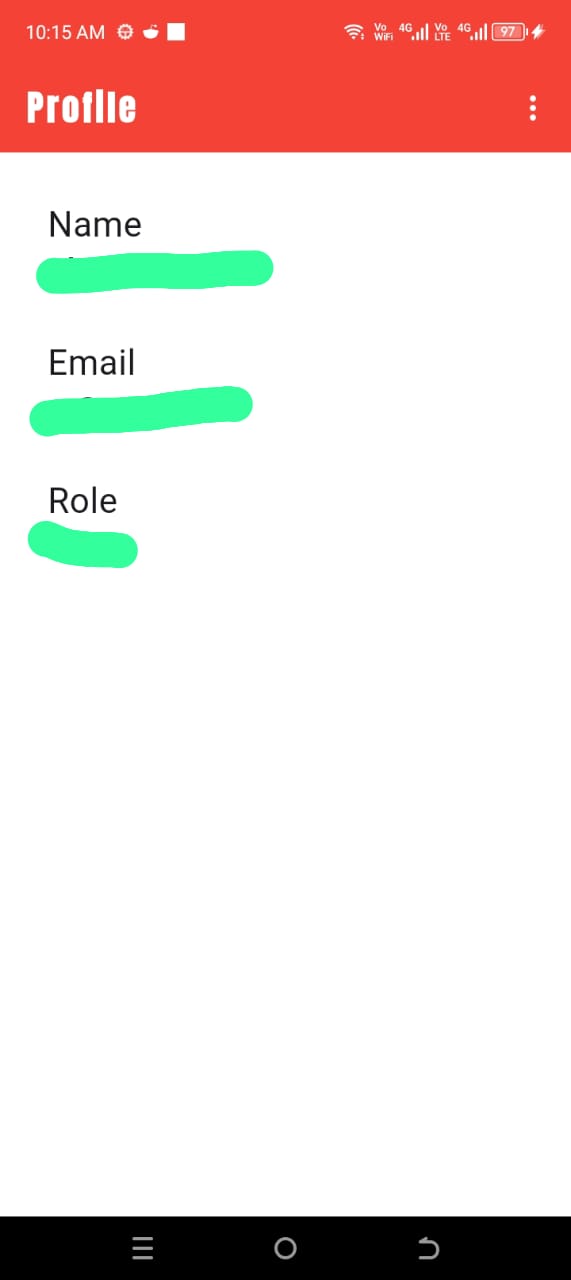
    Profile screen menu
  5. Initiate deletion

    Select Delete Account from the options
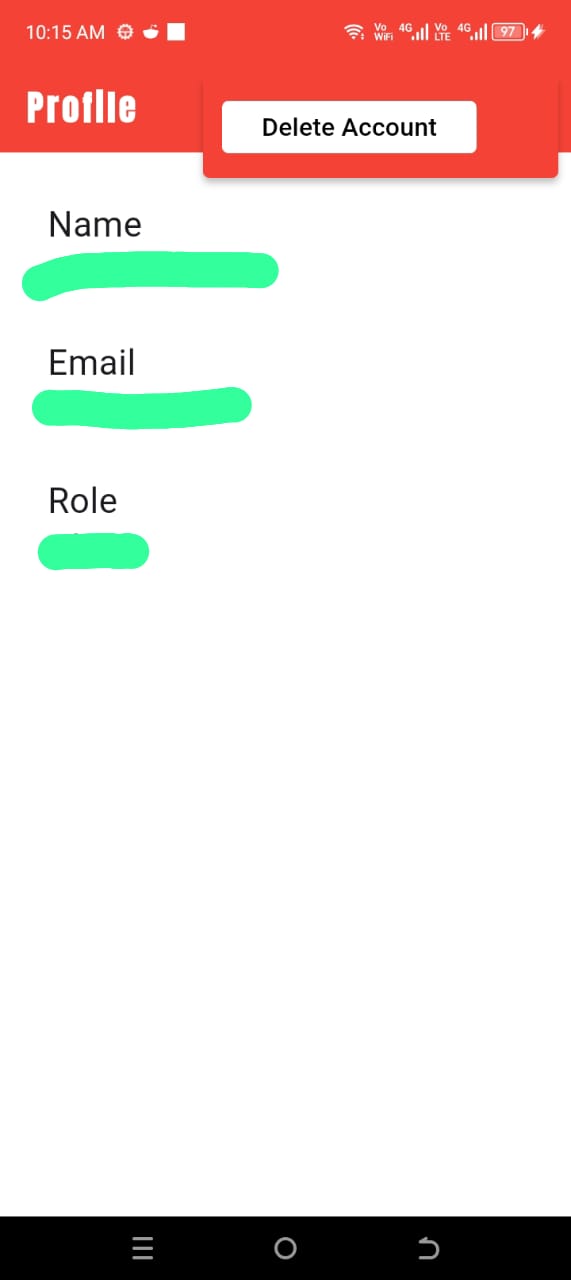
    Delete account option
  6. Confirm deletion

    Enter your password to verify and complete account deletion
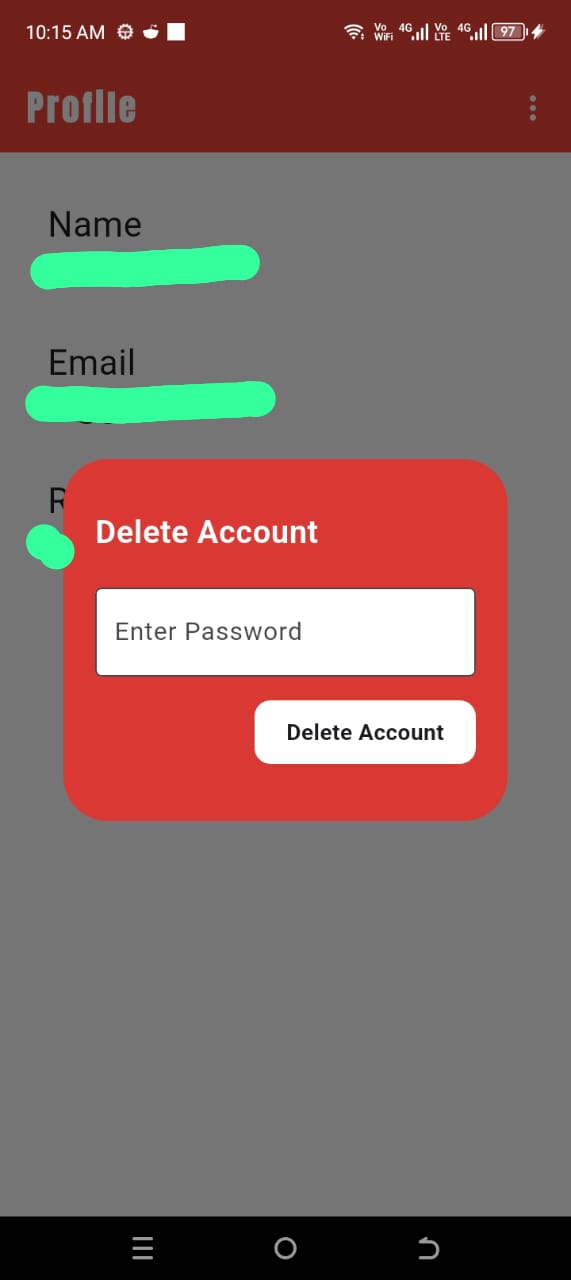
    Enter password to confirm

Note: Account deletion is permanent and cannot be undone.

What Data Gets Deleted?

When you delete your account, we permanently remove:

This process typically completes in few moments, And App Goes in Guest Mode.

Important: We do not store age information. It is only requested during signup to confirm whether the account creator is a minor and requires parental consent. Since this data is not used for any operations, it is not retained in our system.

Need Help?

Contact us for any questions about account deletion:

Email: abrehman0346+academy@gmail.com